The Essential Features of NoteWatch AI Recorder
In the fast-paced modern world, staying organized and productive can be a challenge. Enter the NoteWatch AI Recorder, a revolutionary tool designed to streamline your note-taking process. Combining advanced voice recognition, meeting recording functionalities, and powerful summarization capabilities, this innovative smartwatch ensures that you capture every important detail effortlessly. Let’s delve deeper into the features that make the NoteWatch AI Recorder an essential tool for professionals and students alike.
Voice-to-Text Capabilities
The standout feature of the NoteWatch AI Recorder is its sophisticated voice-to-text technology. This feature allows users to transcribe spoken words into coherent written text in real time, significantly enhancing the efficiency of note-taking. Whether you’re in a meeting, lecture, or brainstorming session, simply speaking into the device captures every word for easy reference later. This cutting-edge technology reduces the need for manual note-taking, allowing users to focus on conversations and ideas rather than getting bogged down in writing.
Seamless Meeting Recording
Another compelling aspect of the NoteWatch AI Recorder is its ability to seamlessly record meetings. At the touch of a button, users can initiate recording, ensuring that important discussions are never missed. The device employs high-quality microphones that pick up sound from multiple angles, ensuring clarity even in larger rooms or noisy environments. After the meeting, these recordings can be easily accessed and reviewed, ensuring that all points discussed are retained.
Integration with Summarization Tools
The NoteWatch AI Recorder offers integration with advanced AI summarization tools. Once a recording is made, the device can generate concise summaries highlighting key points and action items. This feature not only saves time but also helps users quickly identify the most crucial information without having to listen to long recordings. This kind of functionality is invaluable for professionals who handle extensive meeting notes regularly.
How NoteWatch AI Recorder Enhances Productivity
Productivity is the backbone of success in any profession. The NoteWatch AI Recorder is designed with features that directly enhance productivity through improved workflows and collaboration. Let’s explore how this device can unlock your productivity potential.
Streamlining Workflows
The integration of the NoteWatch AI Recorder into daily routines inherently streamlines workflows. By automating the note-taking process, users can immediately focus on discussions and tasks at hand rather than worrying about missing crucial details. Workflow apps can also be linked to the device, allowing notes and audio files to be directly uploaded into project management tools or cloud storage systems, eliminating time spent on manual uploading and organizing.
Improving Note-Taking Practices
Traditional note-taking often leads to incomplete or poorly organized information. With the NoteWatch AI Recorder, users engage in a more effective note-taking practice that involves capturing thoughts in real-time. The ability to record conversations allows users to concentrate fully on engaging with speakers rather than frantically jotting all points down. This results in more meaningful participation and retains a richer context of discussions.
Facilitating Collaborative Discussions
Collaboration can sometimes be hampered by scattered notes or miscommunication. The NoteWatch AI Recorder emerges as a game changer by facilitating clearer collaborative discussions. Team members can rely on the accuracy of recorded meetings, ensuring everyone is on the same page regarding project progress, decisions made, and follow-up actions. Summaries can also be shared easily among team members, fostering a culture of accountability and transparency.
Setting Up Your NoteWatch AI Recorder
Getting started with the NoteWatch AI Recorder is straightforward. Below are detailed steps to ensure you have it set up properly to maximize its potential.
Initial Configuration Steps
To get started with your NoteWatch AI Recorder, first charge the device fully. Power it on and follow the on-screen prompts to select your language and connect to Wi-Fi. This initial setup ensures that your device can access necessary updates and features.
Connecting to Smartphone Applications
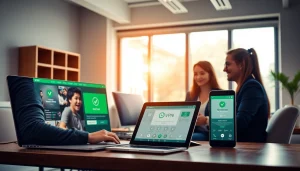
The NoteWatch AI Recorder can be integrated with various smartphone applications for seamless data synchronization. Download the accompanying app on your smartphone and follow the prompts to pair it with your NoteWatch. This connection allows easy access to your recordings, notes, and summaries, enabling you to manage your tasks and schedules efficiently.
Best Settings for Optimal Use
To ensure you’re getting the most out of your NoteWatch AI Recorder, adjust the settings according to your preferences. Set recording quality preferences based on the environment: high quality for quiet spaces and medium quality for noisier settings. You can also schedule automatic updates and manage app notifications through the settings menu for a more personalized experience.
Comparative Advantages of NoteWatch AI Recorder
In a crowded market of note-taking devices, the NoteWatch AI Recorder stands out for several reasons. Let’s explore these comparative advantages to understand why it might be the right choice for you.
Why Choose NoteWatch?
Choosing the NoteWatch AI Recorder means selecting a device that blends advanced features with user-friendliness. Its robust design, intuitive interface, and powerful functionality appeal to both tech-savvy professionals and those who prefer simplicity. With a focus on usability and productivity, the NoteWatch is geared toward enhancing everyday professional tasks.
Performance Metrics
Consumer feedback and product testing reveal high satisfaction ratings for the NoteWatch AI Recorder’s performance. Key metrics to consider include its battery life, which provides up to 12 hours of continuous recording, and the accuracy of voice-to-text transcription, which typically exceeds 90%. These performance metrics ensure reliability and efficacy, making it an essential investment for anyone needing reliable note-taking solutions.
User Testimonials and Experiences
User testimonials indicate a high level of satisfaction with the NoteWatch AI Recorder. Many users report increased productivity and ease of communication, as complex meetings can be recorded with minimal hassle. The summarization feature especially receives praise for transforming lengthy discussions into manageable notes, which has positively impacted users’ workflow and collaboration processes.
Frequently Asked Questions
What types of meetings can I record with NoteWatch AI Recorder?
You can use NoteWatch AI Recorder to record a variety of meetings, including corporate discussions, interviews, and brainstorming sessions, making it versatile for all professional settings.
How long does the battery last during recordings?
The NoteWatch AI Recorder is designed for long usage, typically lasting up to 12 hours of continuous recording, ensuring you capture everything you need.
Can I sync NoteWatch AI Recorder with my smartphone?
Yes, NoteWatch AI Recorder easily syncs with your smartphone, allowing you to transfer recordings and notes directly to your favorite applications.
Is NoteWatch AI Recorder suitable for students?
Absolutely! NoteWatch AI Recorder is perfect for students, providing an efficient way to record lectures and group study sessions.
What is the warranty on NoteWatch AI Recorder?
NoteWatch AI Recorder comes with a one-year warranty against manufacturing defects, ensuring quality and peace of mind with your purchase.